Quick answer: CISA's latest SharePoint warning is not hard because the advice is vague. It is hard because teams need fast answers about exposure, AMSI coverage, ownership, compromise evidence, and safe sequencing before they can harden without making the situation worse.
TL;DR
- CISA is now warning about multiple actively exploited SharePoint vulnerabilities affecting supported on-prem versions.
- The guidance goes beyond patching. Teams also need AMSI verification, logging, reverse-proxy protections, admin-surface restriction, and careful machine-key decisions.
- That turns hardening into an operational workflow problem, not a one-click fix.
- OpsRabbit helps compress time-to-context so responders can move from advisory to safe action faster.
What problem are we solving?
SharePoint hardening sounds straightforward until the alert lands in a real environment.
Someone says, "Patch everything now."
Then the practical questions start:
- Which farms are actually internet reachable?
- Which web applications have AMSI enabled already?
- Are we looking at a clean patching exercise or a possible post-exploitation cleanup?
- Is Central Administration reachable from places it should not be?
- Who owns each farm, each reverse proxy path, and the next disruptive change window?
- If IIS machine keys may be at risk, what has to happen before rotation?
That is where teams lose time.
The guidance itself is not the bottleneck. Context is.
Why this matters right now
CISA updated its SharePoint alert on July 16, 2026 to include CVE-2026-58644 and said active exploitation is hitting CVE-2026-32201, CVE-2026-45659, CVE-2026-56164, and CVE-2026-58644 across supported on-prem SharePoint Server versions: Subscription Edition, 2019, and 2016.
That matters because the alert is not just saying "install the latest patch."
It also tells teams to:
- verify AMSI integration for each SharePoint web application
- use Full Mode for request body scanning where feasible
- establish tailored logging to detect anomalous requests, webshells, suspicious worker-process activity, and machine-key access
- avoid direct internet exposure unless SharePoint is protected by an authenticated Layer 7 reverse proxy or equivalent control
- block external access to SharePoint Central Administration
- hunt for intrusion artifacts before rotating IIS machine keys
That is a lot of decision-making for a team that may already be operating under incident pressure.
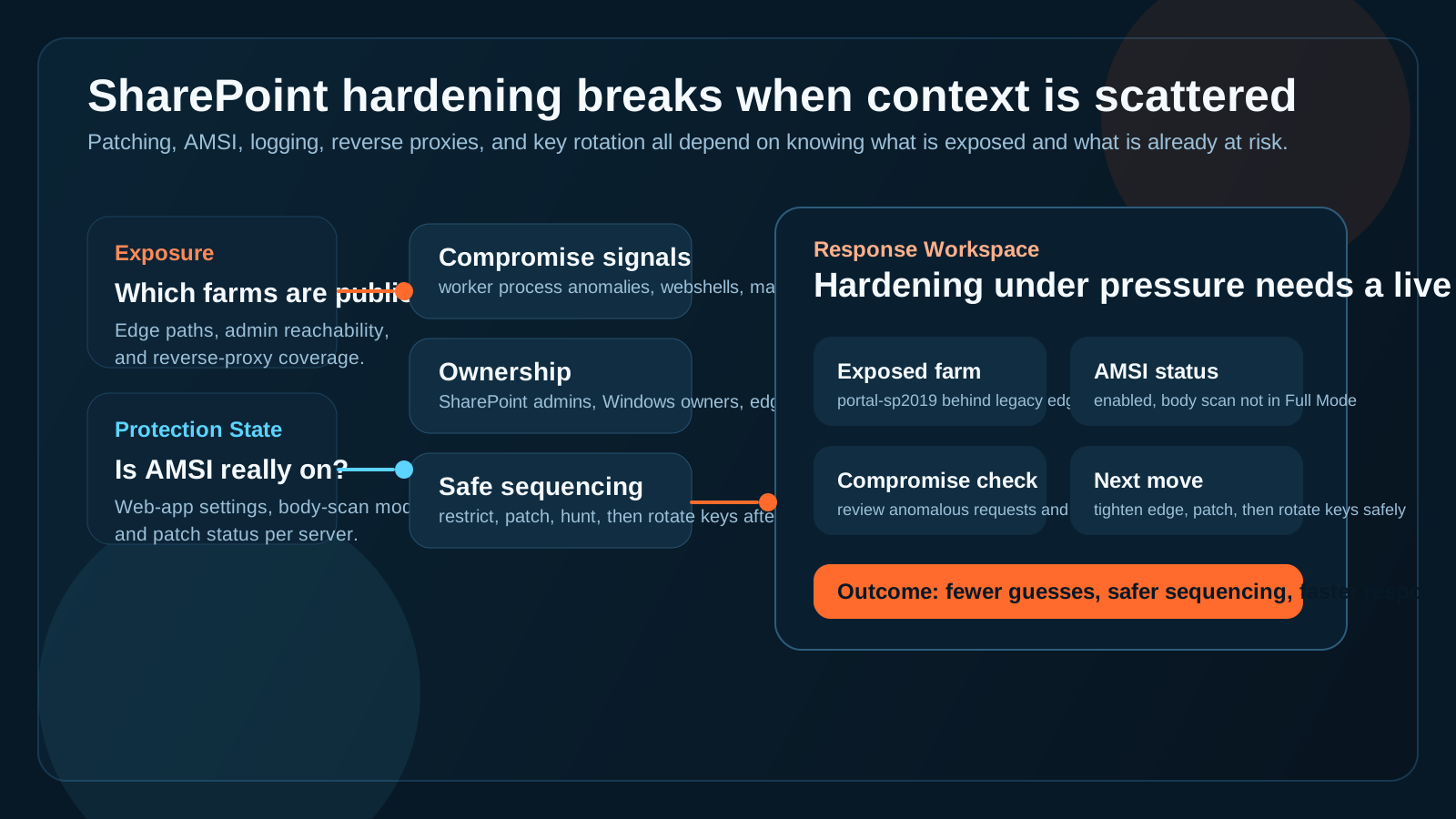
The real delay is not reading the alert. It is turning the alert into the right sequence of environment-specific actions.
What CISA is actually telling teams to do
I think this is where a lot of blog coverage will oversimplify the story.
Yes, patching is mandatory.
But the current guidance is really about three layers at once:
1. Reduce fresh exposure
Teams need to apply the latest updates, shorten patching cycles, and avoid leaving internet-facing SharePoint paths loosely protected.
2. Increase detection and friction
That is where AMSI, request-body scanning, and tailored logging enter the picture. Microsoft says AMSI integration can inspect requests to SharePoint endpoints, and Subscription Edition can extend that into request-body scanning with Balanced or Full Mode.
3. Handle post-exploitation risk carefully
CISA explicitly warns about machine-key theft, persistence, and malware deployment. That is why it says not to rotate IIS machine keys blindly before hunting for intrusion artifacts that could simply steal the new keys again.
That last point is what turns this from a maintenance task into a response workflow.
Why this still breaks down in real environments
Most teams do not have a single, pristine SharePoint deployment with one obvious owner and one obvious edge path.
They have accumulated reality:
- multiple farms or legacy instances
- inconsistent reverse-proxy and firewall patterns
- different admins across infrastructure, SharePoint, identity, and security
- web applications with different configurations
- uneven logging quality
- uncertainty about what changed recently
So when the alert arrives, responders are not just executing a checklist. They are reconstructing the map.
That usually means answering a handful of operational questions fast:
Which SharePoint paths are exposed right now?
Not every instance is public, and not every public path is equally risky. Teams need to know which farms, sites, or admin surfaces are reachable and through what controls.
Which web applications are actually protected by AMSI?
The assumption that AMSI is enabled everywhere is risky. Microsoft documents prerequisites, defaults, and mode differences. Teams still need to verify the effective state per web application.
Is this pure hardening, or are we already in compromise assessment?
CISA's guidance on intrusion hunting, anomalous requests, worker-process behavior, webshells, and machine-key access makes that distinction critical.
What should happen before disruptive remediation?
If the team needs to change edge controls, patch servers, review logs, and possibly rotate keys, the order matters. Doing the right action in the wrong order can create downtime without actually removing attacker access.
Who can approve and execute the next move?
That answer may span SharePoint admins, Windows owners, reverse-proxy owners, security responders, and application support.
This is exactly the kind of work that burns the first hour of a response.
A practical first-response loop for SharePoint hardening
If I were simplifying this for an operations team, I would use a five-step loop:
-
Confirm scope. Identify supported on-prem SharePoint Server instances, internet-reachable entry points, and whether Central Administration or other sensitive paths are exposed.
-
Verify protection state. Check patch level, AMSI status, request-body scan mode where applicable, reverse-proxy coverage, and current logging visibility.
-
Look for compromise signals. Review anomalous requests, worker-process behavior, webshell indicators, suspicious machine-key access, and any recent security alerts tied to the farm.
-
Sequence the response. Decide whether the safest next move is edge restriction, patching, deeper forensic review, admin-surface isolation, or a controlled key-rotation plan after cleanup.
-
Coordinate ownership. Pull in the people who own the SharePoint farm, Windows layer, edge controls, and incident process before high-impact changes create new confusion.
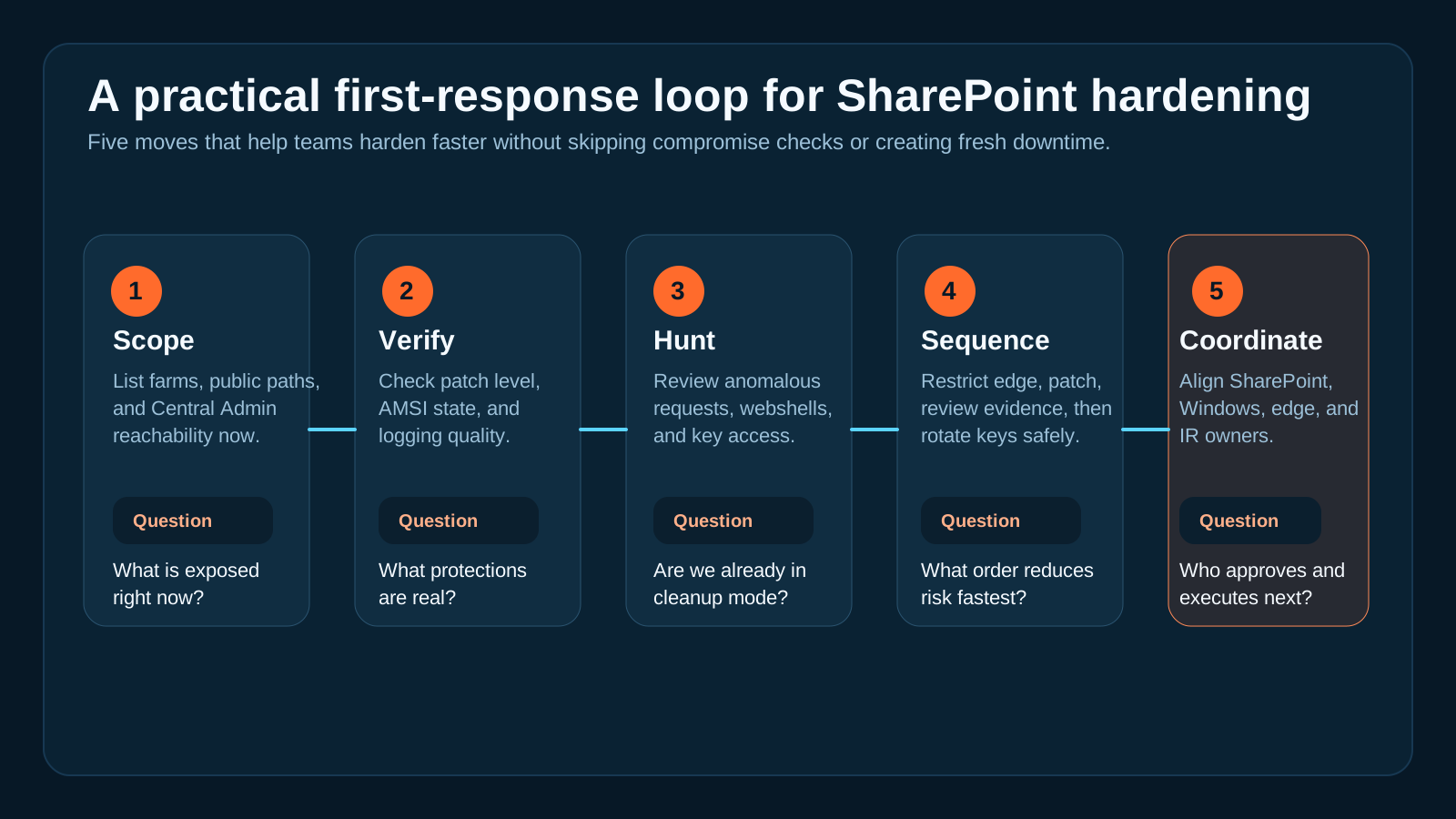
The teams that respond best are not the ones with the longest checklist. They are the ones that can build the map fast enough to follow the checklist safely.
Where OpsRabbit helps
OpsRabbit is useful in this kind of moment because the hard part is almost never "we need another alert."
The hard part is assembling the context around the alert:
- what is internet reachable
- which systems and owners are in scope
- what changed recently
- what evidence suggests compromise or containment success
- what the next safe action should be
That is the time-to-context problem.
OpsRabbit helps responders pull together the operational story faster so they spend less time reconstructing the environment and more time executing the right hardening and response sequence.
Practical takeaway
SharePoint hardening after active exploitation is not a patch-only problem.
It is a coordination problem. A visibility problem. A sequencing problem.
The winning teams will be the ones that can move from advisory to context to action without guessing.
If you want to shrink that gap, book a walkthrough to see how OpsRabbit helps teams reduce time-to-context during urgent incident and hardening workflows.
FAQs
What should teams do first after CISA's latest SharePoint warning?
Start by identifying internet-reachable on-prem SharePoint servers, verifying patch status and AMSI coverage, and checking for signs of compromise before taking disruptive actions like machine-key rotation.
Why is SharePoint hardening an ops workflow problem?
Because the response depends on live environment details such as exposure paths, admin surfaces, logging, ownership, recent changes, and recovery sequencing, not just a patch bulletin.
Sources
- CISA Urges SharePoint Hardening After New Exploitations - CISA, July 14 and July 16, 2026 update.
- CISA Adds One Known Exploited Vulnerability to Catalog - CISA, July 1, 2026.
- Known Exploited Vulnerabilities Catalog - CISA, accessed July 17, 2026.
- Configure AMSI integration with SharePoint Server - Microsoft Learn.
- Plan security hardening for SharePoint Server - Microsoft Learn.
Last Updated
2026-07-17
Ready to Transform Your Operations?
Ask for a demo today. Experience how OpsRabbit can reduce your MTTR by up to 90%.