Quick answer: Better secret scanning helps teams trust the alert. It does not automatically tell them who owns the secret, what will break if they revoke it, or whether the credential was used while exposed.
TL;DR
- GitHub says secret-scanning noise slows remediation because people spend too much time triaging alerts they do not trust.
- GitHub also says it cut customer-confirmed false positives by 75.76% in one evaluation, which is a meaningful improvement in signal quality.
- That still leaves the hardest part of response untouched: figuring out the safest way to rotate the secret without causing a second incident.
- The real bottleneck is not detection alone. It is time-to-context.
What problem are we solving?
Most teams no longer struggle to imagine how a secret leak happens.
It lands in a repository, a pull request, a chat snippet, a wiki, or a forgotten piece of history that nobody has looked at in months.
GitHub secret scanning now covers more than the current code tree. It scans full history across branches and can also catch exposed credentials in issues, pull requests, discussions, wikis, and secret gists.
That is good news.
But the alert is only the beginning.
The moment a real credential is flagged, responders still have to answer questions that are operational, not just security-shaped:
- Is the secret still active?
- Is the repository public or internally exposed?
- Which service, pipeline, or automation path depends on this credential?
- Who owns the secret and who can rotate it now?
- What happens if we revoke it immediately?
- Was it used while exposed?
That is where the response loop starts to drag.
Why this matters right now
GitHub's June 11, 2026 post on secret scanning is worth paying attention to because it says the quiet part out loud: when alerts feel noisy, developers trust them less and remediation slows down.
GitHub said its context-aware verification work reduced hundreds of customer-confirmed false positives by 75.76%.
That is a strong signal about where the market is going.
Teams do not only want more detections. They want alerts they can trust enough to act on.
But even a trustworthy alert does not finish the response workflow.
GitHub's own leaked-secret remediation guidance still starts with context gathering: identify the secret type, locate it, find the owner, assess the risk, revoke it, update affected services, and check for unauthorized access.
That sequence is practical. It is also exactly why leaked-secret response can still be slow in mature environments.
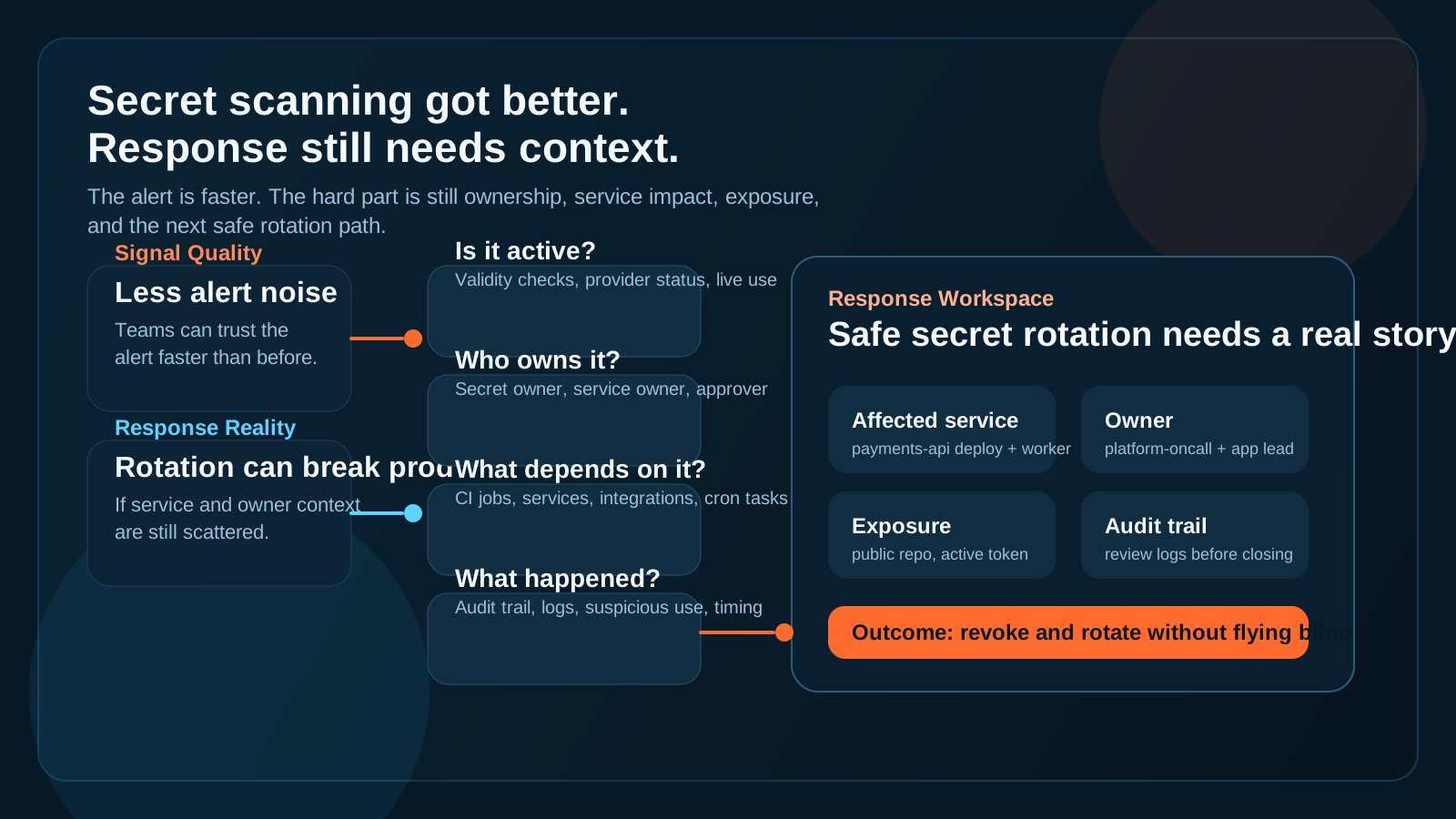
Better alerts reduce noise. Safe response still depends on context around ownership, service impact, and exposure.
Where the response actually gets stuck
Rotating a leaked secret sounds simple until it is tied to a real production path.
Then the responder has to find:
- the application or workflow using it
- the owner who can approve or perform rotation
- the safe replacement path
- the deployment sequence for the new secret
- the systems that need verification after the change
- the audit trail showing whether the credential was used suspiciously
GitHub's remediation docs make the stakes clear: removing the secret from code is not enough, and deleting the repository does not undo exposure. The real fix is revocation and replacement.
That is the right answer from a security standpoint.
It is also the point where operations complexity shows up.
Because revocation can break things if the team still does not know where the secret is wired in.
A practical five-question loop for leaked-secret response
When a credible alert lands, responders usually move faster if they answer the same five questions in the same order.
1. Is the credential actually active?
This is the first filter.
If the secret is inactive, the urgency profile changes. If it is active, the clock is very different.
2. What is the exposure level?
Public repository, broad internal visibility, or isolated test path all imply different risk. GitHub also points out that publicly exposed active secrets can be found quickly and exploited fast.
3. What depends on this secret?
This is where many teams lose time.
One credential might touch a CI job, a production service, a cron task, and a third-party integration at the same time.
4. Who owns rotation and verification?
The person who committed the secret is not always the person who owns the system. The owner might be in another team, another region, or another ticket queue entirely.
5. What happened while it was exposed?
A clean rotation is not the same thing as a complete response. Teams still need to review logs, audit trails, and adjacent activity to understand whether the credential was used.
Why secret rotation is an operational workflow
One useful detail from the Azure DevOps guidance is that a unique credential can roll up into a single alert across branches and history.
That is helpful from an alert-management perspective.
It does not reduce the coordination needed to fix it.
The real work still looks like this:
- Identify the leak and the owner.
- Assess validity and exposure.
- Generate a replacement credential if needed.
- Update every dependent service.
- Verify the rollout.
- Review evidence for misuse.
That is not just a detection workflow.
It is incident response with change management attached.
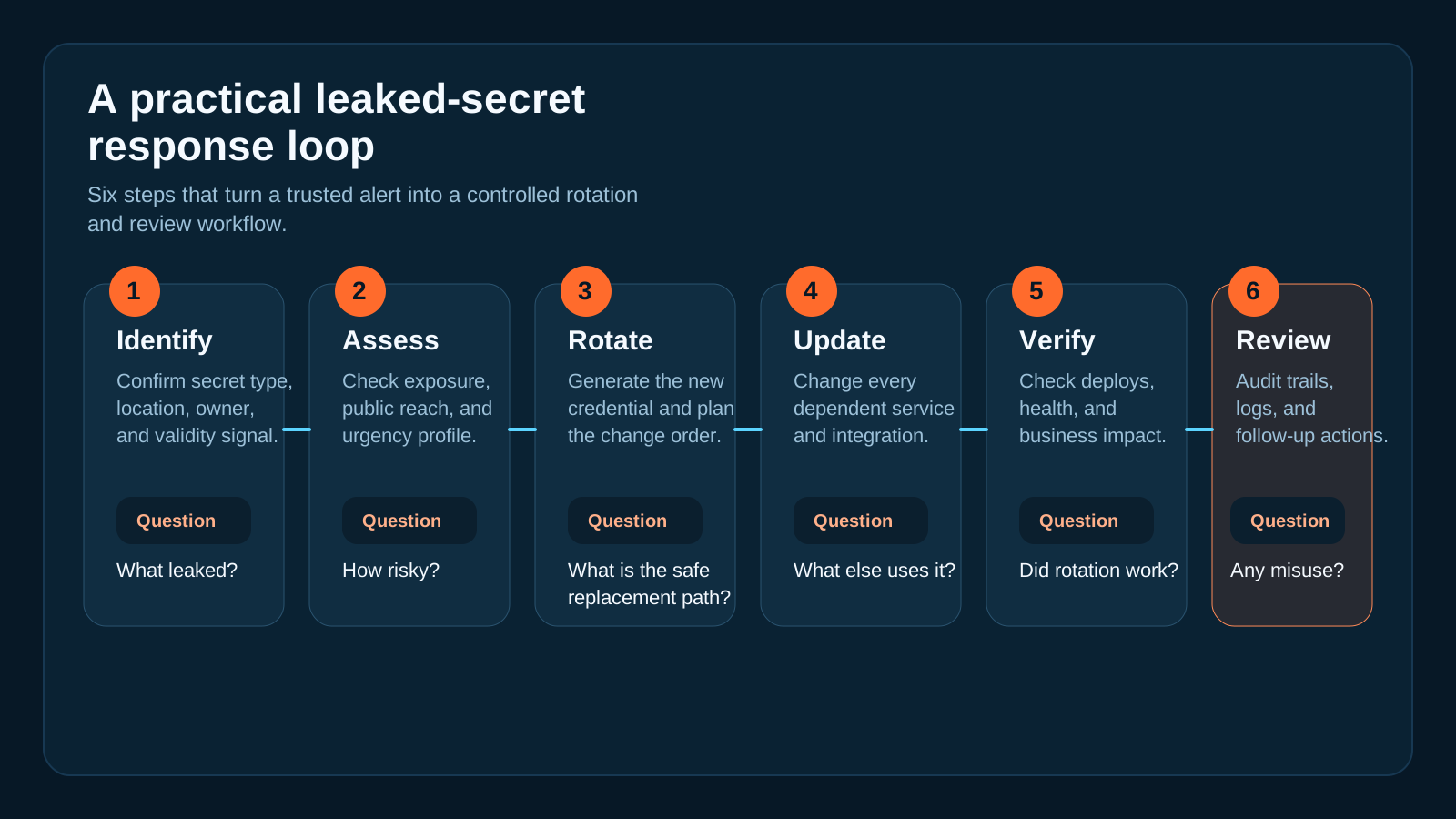
A secret alert becomes a real response workflow the moment revocation can impact production systems.
Where OpsRabbit fits
OpsRabbit is useful in the gap between "the alert is real" and "we know the next safe move."
That gap usually includes:
- service ownership
- recent changes
- affected environments
- dependency clues
- audit evidence
- the most sensible response order
OpsRabbit does not replace secret scanning.
It helps responders assemble the operational story around the alert faster, so rotating a compromised credential becomes a controlled response instead of a scramble across tickets, dashboards, chat threads, and tribal knowledge.
Practical takeaway
Secret scanning is getting better, and that matters.
Better verification means less noise, more trust, and fewer wasted cycles.
But if your team still struggles to answer who owns a leaked credential, what depends on it, and what the safest rotation path looks like, then detection quality is only half the story.
The real performance metric is how fast your responders can move from alert to context to safe action.
That is the part worth fixing next.
CTA
If you want to shorten the path from leaked-secret alert to a confident operational response, book a walkthrough to see how OpsRabbit reduces time-to-context for real incident workflows.
FAQs
Why is secret scanning response still slow?
Because the alert is only the start. Teams still need ownership, dependency, exposure, and audit context before they can rotate safely.
What should responders confirm before rotating a leaked secret?
Whether the secret is active, where it is used, who owns it, what services will break, and whether there are signs of unauthorized use.
Sources
- GitHub, Making secret scanning more trustworthy: Reducing false positives at scale - published June 11, 2026.
- GitHub Docs, Secret scanning - accessed July 5, 2026.
- GitHub Docs, Remediating a leaked secret in your repository - accessed July 5, 2026.
- Microsoft Learn, Set up secret scanning for GitHub Advanced Security - Azure Repos - updated February 24, 2026.
Last Updated
2026-07-05
Ready to Transform Your Operations?
Ask for a demo today. Experience how OpsRabbit can reduce your MTTR by up to 90%.