Quick answer: Workflow injection in GitHub Actions becomes an incident-response problem when a risky workflow can touch repository write scopes, secrets, OIDC trust, or mutable third-party actions. The hard part is not spotting the unsafe pattern. It is mapping the blast radius and choosing a safe containment step fast enough to matter.
TL;DR
- GitHub says workflow injections are still one of the most common vulnerabilities found in GitHub repositories.
- The real operational risk comes from the surrounding context: token permissions, secrets, OIDC trust, privileged triggers, and mutable actions.
- New GitHub controls like SHA pinning enforcement and explicit action blocking help, but teams still need to map exposure and ownership fast.
- The response bottleneck is usually not awareness. It is time-to-context.
What problem are we solving?
GitHub Actions workflow injection often gets discussed like a narrow secure-coding mistake.
In practice, the issue gets expensive when responders have to answer several urgent questions at once:
- which workflows accept untrusted input
- whether a privileged trigger like
pull_request_targetis involved - what secrets, tokens, or OIDC paths the workflow can reach
- which third-party actions are still mutable
- who owns the repository and can safely change the workflow now
That is why the issue is moving beyond "clean up the YAML" into incident-response territory.
Why this matters right now
GitHub's own guidance makes the timing hard to ignore.
Its July 2025 post says workflow injections remain one of the most common vulnerabilities in repositories stored on GitHub. Then the platform response kept getting stronger. In August 2025, GitHub added explicit action blocking and SHA pinning enforcement to Actions policy. In March 2026, GitHub's Actions security roadmap said incidents targeting tj-actions/changed-files, Nx, and trivy-action show a clear pattern: attackers are targeting CI/CD automation itself.
That is a useful framing shift.
The question is no longer just whether one inline script is wrong.
The question is whether a risky workflow creates a path into repository write access, environment secrets, package publishing, cloud trust, or release automation before the right team can respond.
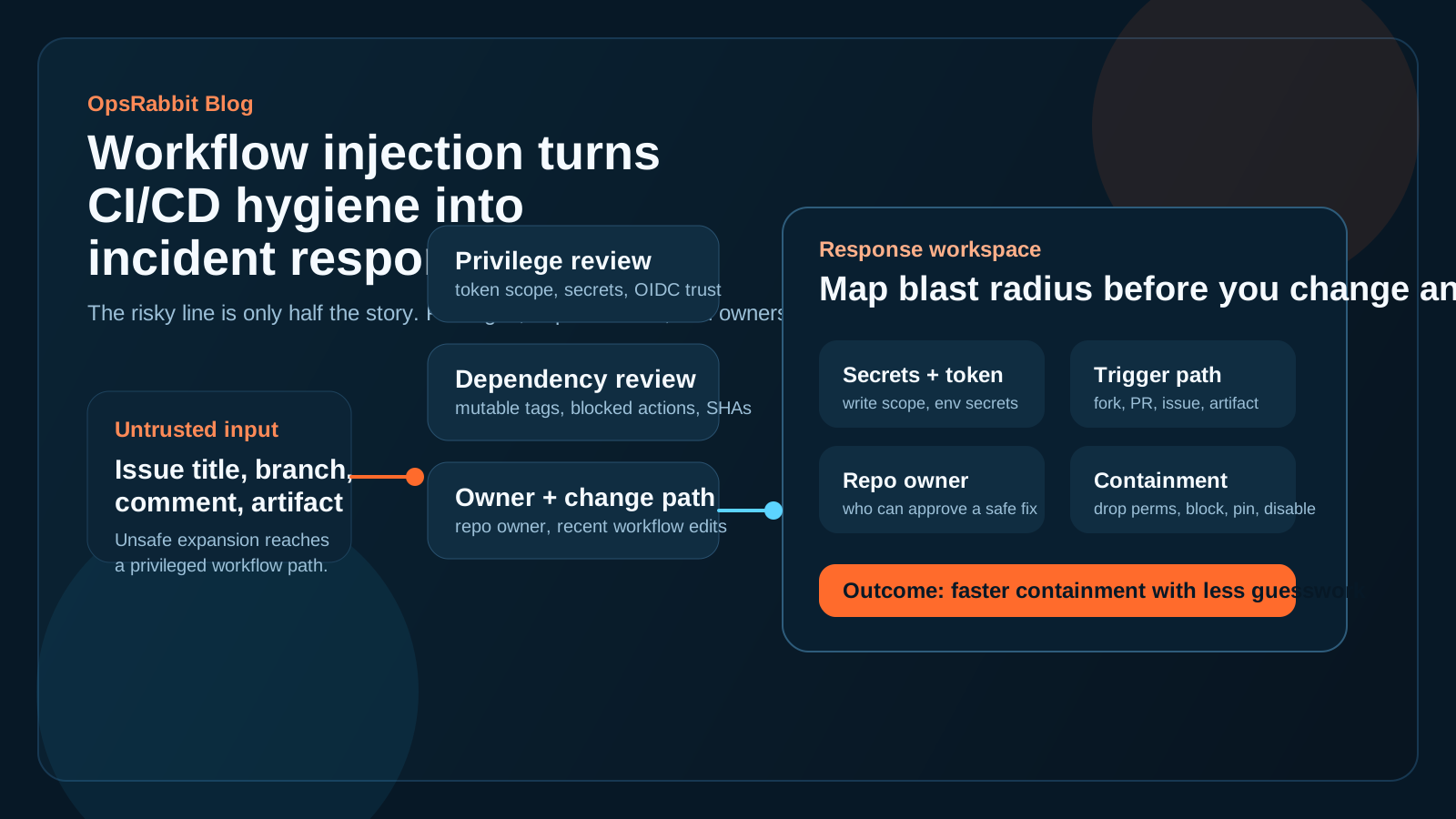
Workflow injection becomes an operations problem when one unsafe path can reach secrets, write scopes, or downstream deployment trust.
What workflow injection actually changes operationally
GitHub's example is simple and familiar: untrusted input such as an issue title or branch name gets expanded directly inside a run step, and the workflow executes attacker-controlled commands.
That part is straightforward.
What changes the operational picture is everything wrapped around it:
- token permissions
- environment secrets
- OIDC federation
- self-hosted or hosted runner context
- reusable workflow inheritance
- mutable third-party action references
That surrounding context decides whether the issue is a quick fix or a broader incident.
Why pull_request_target changes the stakes fast
GitHub's secure-use guidance and Security Lab material both make the same point: pull_request_target can become dangerous when teams combine privileged workflow context with untrusted checkout or risky processing.
That is where responders lose time.
They are not just asking whether the workflow is vulnerable in theory. They are trying to answer:
- Was the trigger reachable from forks or user-controlled content?
- Did the workflow have write access?
- Could it read or inherit secrets?
- Did
actions/checkoutpersist credentials? - Did the workflow run code that came from an untrusted PR?
Those are incident questions, not just linting questions.
A practical five-question loop for the first hour
If a risky workflow pattern, workflow-injection finding, or compromised action hits your queue, these five questions matter first.
1. Where can untrusted input reach execution?
Start with exposure before remediation.
Which events, comments, issue forms, branch names, artifacts, or PR paths can push attacker-controlled data into the workflow?
2. What privileges does the workflow actually carry?
Review GITHUB_TOKEN permissions, environment secrets, reusable workflows, and any OIDC trust path to cloud or package systems.
3. Which dependencies are mutable or already blockable?
Check whether the workflow uses full commit SHAs, whether policy can explicitly block an action or version, and whether any dependency is still referenced through a mutable tag.
4. Who owns the repo and what changed recently?
GitHub's repository-ownership work is a useful reminder that response slows down when nobody can safely approve or route the fix.
For workflow incidents, recent workflow edits, platform-team ownership, and release approvers all matter.
5. What is the narrowest safe containment step?
Sometimes the answer is to disable the workflow.
Sometimes it is to drop permissions, block one action version, remove a secret, switch to pull_request, or force SHA pinning while a broader review happens.
Good response is not always the biggest change first.
It is the safest effective move with enough context behind it.
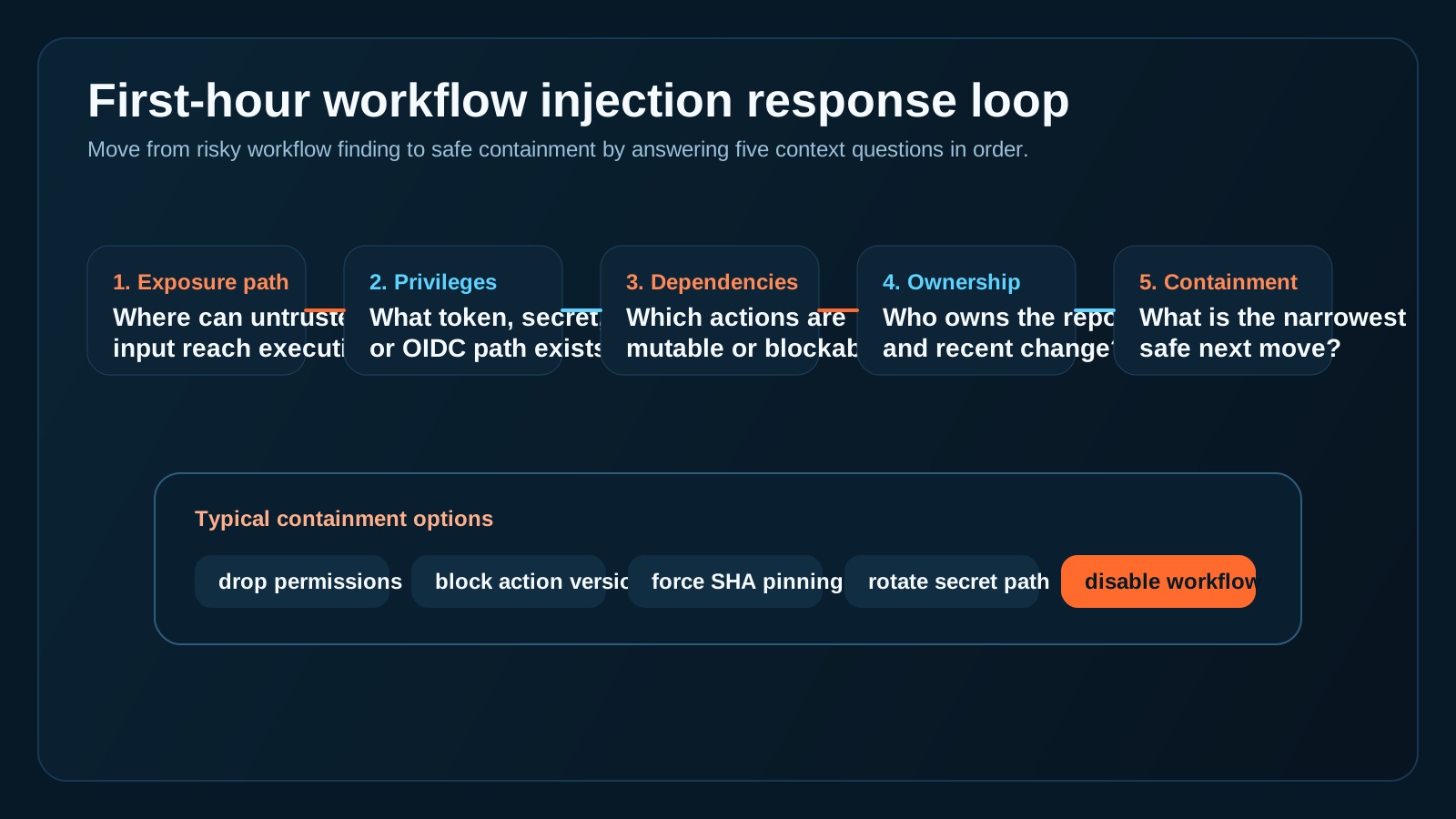
The fastest teams move from finding to containment by answering a small set of context questions consistently.
Why new GitHub controls help but do not remove the context problem
GitHub is clearly moving toward stronger policy, safer defaults, and better observability for Actions.
That is good news.
But even strong native controls do not answer every question responders get in the moment:
- Which of our repositories use this pattern?
- Which ones are high risk because of secrets or write scopes?
- Which runner or environment is in play?
- Who can safely approve the change?
- What changed in the last day that might explain new exposure?
That is still where teams burn time.
Where OpsRabbit fits
OpsRabbit helps in the space between the finding and the first safe action.
It helps responders assemble the evidence trail around the workflow:
- recent changes
- likely owners
- surrounding operational context
- workflow and secret scope
- the next narrow containment step worth validating first
That does not replace GitHub's controls, CodeQL, or secure workflow design.
It makes those controls more usable when the clock is running.
Practical takeaway
If your team still treats GitHub Actions workflow injection as just a code-review hygiene topic, you will probably respond too slowly when the blast radius is real.
The better model is this:
workflow injection becomes a response problem whenever a risky workflow can touch privileged automation, mutable dependencies, or production-facing trust paths.
That is why the winning teams are not just the ones with safer YAML.
They are the ones that can map a risky workflow to owners, secrets, recent changes, and the safest next move before the room fills with guesswork.
CTA
If you want to shorten the time between a GitHub Actions security finding and a confident containment decision, book a walkthrough to see how OpsRabbit reduces time-to-context for CI/CD and incident workflows.
FAQs
Why are GitHub Actions workflow injections more than a coding bug?
Because the real blast radius depends on workflow permissions, secrets, OIDC trust, mutable dependencies, and who can safely contain the issue.
What should teams check first after a risky workflow finding?
Start with exposure path, granted privileges, mutable dependencies, clear ownership, and the narrowest safe containment step.
Sources
- GitHub, How to catch GitHub Actions workflow injections before attackers do - published July 16, 2025.
- GitHub Docs, Secure use reference - accessed July 20, 2026.
- GitHub Changelog, GitHub Actions policy now supports blocking and SHA pinning actions - published August 15, 2025.
- GitHub, What's coming to our GitHub Actions 2026 security roadmap - published March 26, 2026.
- GitHub, Securing the open source supply chain across GitHub - published April 1, 2026.
- GitHub, How GitHub gave every repository a durable owner - published July 9, 2026.
Last Updated
2026-07-20
Ready to Transform Your Operations?
Ask for a demo today. Experience how OpsRabbit can reduce your MTTR by up to 90%.