Quick answer: The nginx-ui takeover flaw is a reminder that AI and automation integrations can create very ordinary, very painful operations incidents. The hard part is not just patching. It is figuring out where you are exposed, what changed, and what to do first before the incident room turns noisy.
TL;DR
- The recent nginx-ui flaw shows how MCP-connected endpoints can become a real production risk, not just an AI architecture footnote.
- In incidents like this, the first bottleneck is usually context, not awareness.
- Teams need fast answers on exposed assets, running versions, config changes, reload history, and ownership.
- OpsRabbit is built for exactly that time-to-context problem.
What problem are we solving?
When a flaw lands in an admin-plane or automation-plane tool, most teams learn about it quickly. Security feeds are fast. Social posts are fast. Group chats are fast.
What is slow is the next hour.
That is when operators start asking the questions that actually matter:
- Which nginx-ui instances are internet-facing?
- Which versions are running right now?
- Did anyone expose MCP endpoints more broadly than intended?
- Were any Nginx configs modified unexpectedly?
- Did a suspicious reload happen after those changes?
- Which services and customer paths depend on that ingress layer?
- Who owns the affected systems right now?
That is the moment a vulnerability story becomes an operations story.
Short answer
Treat an MCP-related admin-plane flaw like a live incident investigation, not just a patch ticket. Your first goal is to compress time-to-context so responders can scope exposure, verify integrity, and prioritize remediation without bouncing between six tools and three chat threads.
Why the nginx-ui flaw matters beyond nginx-ui
Public reporting this week described active exploitation of a critical nginx-ui flaw tied to MCP-related endpoints. The issue reportedly allowed attackers to invoke MCP tools without authentication in some configurations, modify Nginx configuration, and trigger reloads. Public reporting also pointed to a meaningful number of internet-exposed instances.
That is a useful wake-up call because the real lesson is bigger than one product.
MCP and AI-connected tooling are creating a new class of operational exposure:
- They are powerful by design.
- They often sit close to systems that control real production behavior.
- Their security assumptions are easy to misconfigure.
- Once something looks exposed, responders need answers fast.
This is exactly the kind of incident that burns time in the first 30 minutes.
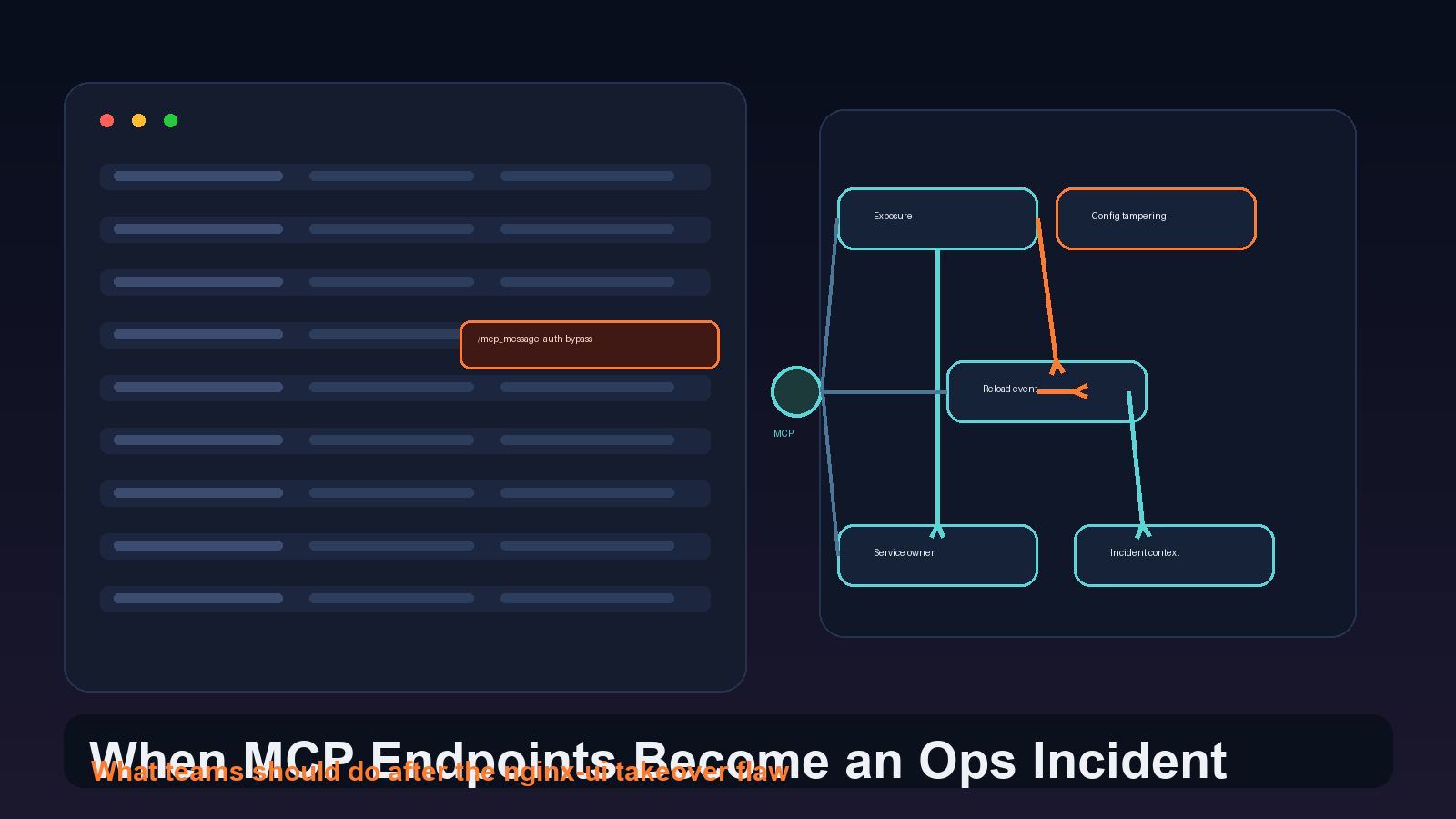
The real challenge is not hearing about the flaw. It is building enough context to act before confusion spreads.
What teams should do in the first hour
A clean first-hour response usually looks like this.
1. Identify every reachable instance
Start with asset visibility. Find all nginx-ui deployments, management planes, reverse proxies, and adjacent admin interfaces. Separate internal-only instances from anything reachable from the internet or partner networks.
2. Confirm versions and risky features
Check which version is actually deployed, not just what is pinned in source control. Confirm whether MCP functionality is enabled, whether access restrictions exist, and whether default behavior could leave endpoints more open than intended.
3. Review recent config and reload activity
If the risk includes config modification and reload, then the question is not only exposure. It is integrity. Review recent Nginx config writes, admin actions, file diffs, reload timestamps, and change windows.
4. Correlate with traffic and alert signals
Look for unusual admin requests, access from unexpected IPs, traffic routing anomalies, strange redirects, spikes in 4xx or 5xx errors, or sudden certificate and upstream changes. These are often the signals that move a vulnerability from theoretical to urgent.
5. Triage by service impact
An exposed lab instance is not the same as a production ingress layer for customer APIs. Prioritize based on what the affected Nginx path fronts, what business traffic it handles, and how quickly a bad config could become customer-visible.
6. Build one working incident narrative
Responders need a shared answer to basic questions: what is exposed, what evidence exists, what changed, what is contained, and what happens next. Without that, teams lose the hour in Slack instead of containing risk.
Why this kind of incident is still messy
Most organizations already have the raw ingredients:
- infrastructure inventory
- cloud logs
- ingress metrics
- deployment history
- ticketing systems
- chat coordination
- vulnerability scanners
The problem is that none of those tools, by themselves, gives responders a usable story.
One system knows the CVE. Another knows the reload. Another knows the owner. Another knows the traffic pattern. Another knows the change window.
Humans still have to stitch the whole thing together while everyone else asks for updates.
That is where response quality usually breaks down.
Where OpsRabbit fits
OpsRabbit is built for this exact gap.
When a tooling-layer incident hits, responders do not need another alert tab. They need a faster path to context:
- impacted services and likely owners
- relevant changes and deploy windows
- correlated telemetry and suspicious symptoms
- an investigation trail that supports scope decisions
- next actions worth taking first
That matters for MCP and admin-plane incidents because the danger is not only exploitation. It is delayed understanding.
The longer it takes to answer basic scope questions, the longer teams hesitate, over-escalate, or patch blindly.
A better way to think about MCP security
It is tempting to treat MCP as a future-looking AI security topic.
I think that is the wrong frame.
The useful frame is simpler: if an integration can read, write, reload, route, or automate something important, it belongs inside your incident model right now.
That means MCP-connected tools should be treated like any other privileged operational surface:
- inventory them
- limit exposure
- review defaults carefully
- log meaningful actions
- make investigation context easy to assemble
Final thought
The nginx-ui story is not just about one flaw. It is a preview of what more operations teams will face as AI and automation layers get closer to production control planes.
The teams that handle these incidents well will not necessarily be the ones with the most tools. They will be the ones that can answer, quickly and credibly:
- where are we exposed
- what changed
- what evidence matters
- what should we do first
That is the gap OpsRabbit is designed to close.
If your team wants faster, evidence-backed response when admin and automation tooling becomes the incident, it is a good time to pilot OpsRabbit.
FAQs
Why is an MCP-related flaw an ops problem?
Because responders need to quickly determine which endpoints are exposed, whether configuration was changed, whether services reloaded, and what customer-facing systems are affected.
What should teams do first after learning about a flaw like this?
Inventory exposed instances, confirm versions, review recent config and reload activity, restrict access, patch or disable risky functionality, and build a shared incident narrative.
Sources
- Actively Exploited nginx-ui Flaw Enables Full Nginx Server Takeover - The Hacker News, accessed April 16, 2026.
- MCP Server Security: The Hidden AI Attack Surface - Praetorian, February 17, 2026.
- March 2026 CVE Landscape - Recorded Future, accessed April 16, 2026.
Last Updated
2026-04-16
Ready to Transform Your Operations?
Ask for a demo today. Experience how OpsRabbit can reduce your MTTR by up to 90%.