Quick answer: GitHub making Copilot CLI work with
GITHUB_TOKENis a useful cleanup. But once you remove the PAT hurdle, the real work becomes deciding which workflows should be allowed to call AI, with which permissions, under which triggers, and with whose budget.
TL;DR
- GitHub now lets Copilot CLI run in GitHub Actions without a stored personal access token.
- That is a security and operations improvement because teams no longer need to manage another long-lived secret just to test AI-assisted automation.
- The bigger question now is workflow governance: triggers,
copilot-requests: write, broad workflow-environment access, and organization billing. - Teams should treat Copilot-powered workflow steps like production changes, not like harmless tooling experiments.
What changed on July 2
GitHub announced on July 2, 2026 that Copilot CLI can now run in GitHub Actions using the built-in GITHUB_TOKEN.
That is the headline most teams will remember, and fairly so.
Before this change, using Copilot CLI in Actions meant creating and storing a personal access token. That created the usual overhead:
- another secret to provision and rotate
- another credential to scope and audit
- another reason for platform teams to say "not yet" to workflow experimentation
GitHub also says workflows only need the copilot-requests: write permission plus a current Copilot CLI version, and that usage in organization-owned repositories can bill directly to the organization.
That makes adoption noticeably easier.
It does not make rollout trivial.
Why this is an ops change, not just an auth cleanup
PAT removal fixes one part of the problem: credential management friction.
It does not answer the operational questions that show up the minute AI steps become easy to add:
- Which workflows should be allowed to call Copilot at all?
- Which events are allowed to trigger those workflows?
- Are you invoking Copilot directly inside a job, or through a more guarded pattern?
- Which repositories are allowed to bill AI usage to the organization?
- Who owns reviewing prompts, outputs, and downstream automation effects?
That is change management.
The change is not just "we switched auth methods."
The change is "AI can now enter workflow paths that were previously gated by setup friction."
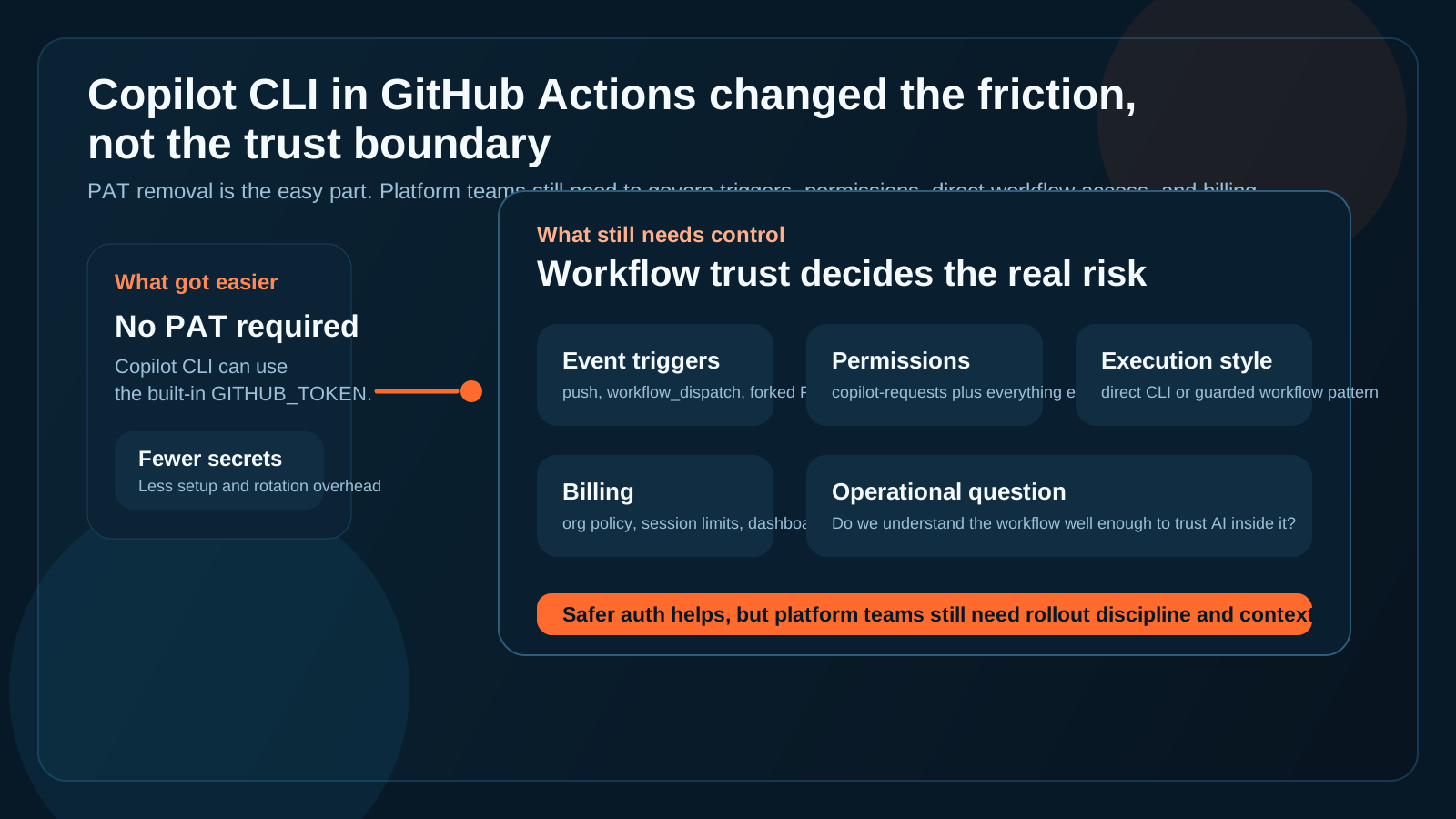
Removing the PAT lowers one barrier. It does not remove the need to control who can run AI inside CI and under what conditions.
GitHub's own docs point to the real risk boundary
The most useful GitHub detail is not the changelog itself. It is the warning in the docs.
GitHub recommends GitHub Agentic Workflows for most automation use cases rather than calling copilot directly inside workflow steps. It also warns that direct Copilot CLI invocation gives broad access to the workflow environment, and says workflows triggered by pull requests from forks are particularly at risk.
That warning matters because it tells you where the trust boundary really is.
This is not mainly a question of "is AI allowed?"
It is a question of:
- what the workflow can already reach
- what token permissions it carries
- what event triggered execution
- what repository state and secrets are present at runtime
Once Copilot is in that environment, the workflow context becomes the real control surface.
The permission story is smaller than it looks and bigger than it feels
On paper, the setup looks simple.
GitHub says the workflow needs copilot-requests: write, and its general GITHUB_TOKEN guidance says teams should grant the minimum permissions required. That sounds straightforward.
In practice, it becomes messy fast.
Why? Because workflows are rarely defined only by one permission flag.
The operational story includes:
- repository contents access
- artifact access
- issue or pull-request write access
- downstream deployment or automation hooks
- event behavior like
pull_request,workflow_dispatch, or other manual triggers
So even if the Copilot-specific permission is narrow, the workflow that hosts it may not be.
That is why PAT removal should be framed as a simplification, not as a complete risk reduction story.
The governance shift is from secrets to execution context
This change moves the burden away from "where do we store the token?" and toward "where do we trust the workflow?"
That is a healthier problem, but it is still a real one.
GitHub's March 2026 Actions security roadmap is useful context here. GitHub explicitly says CI/CD attacks are increasingly targeting automation itself, calls out over-permissioned credentials and hard-to-detect behavior, and says future controls are about policy-driven execution, scoped credentials, and better observability.
That roadmap language matches what platform teams should do here:
- centralize which workflow patterns are allowed
- separate experimentation from production rollout
- narrow execution contexts before enabling AI everywhere
- keep visibility into which repositories and teams are using the feature
If a rollout creates confusion about who triggered what, under which policy, in which repo, with which permissions, then the problem is not really Copilot CLI. The problem is missing context.
A practical rollout checklist
If I were helping a platform or IT ops team roll this out, I would keep the checklist very short.
1. Decide where Copilot is allowed to run first
Start with a small set of internal repositories or workflows you already trust.
Do not begin with broad organization-wide enablement just because the auth got easier.
2. Review triggers before prompts
The prompt is not the first control.
The trigger is.
Ask:
- Can this run on
pull_requestfrom forks? - Can anyone with write access dispatch it manually?
- Does it run on every push, or only on reviewed branches?
Those questions matter more than whether the prompt text looks reasonable.
3. Audit the whole permission envelope
Do not stop at copilot-requests: write.
Check the rest of the workflow permissions and what surrounding steps can do with repository state, artifacts, external systems, or write scopes.
4. Pick direct CLI versus guarded workflow patterns intentionally
GitHub is already telling teams that for many use cases, Agentic Workflows are the better default.
That does not mean direct CLI use is always wrong. It means the direct path deserves a higher review bar.
5. Put a spend boundary in place before broad rollout
GitHub says organization billing, cost centers, dashboards, and session limits can all help control spend.
Use them early.
Nothing undermines a rollout faster than a feature that feels operationally unowned and financially invisible.
6. Treat failed runs and weird outputs as change signals
If a Copilot-enabled workflow starts behaving unexpectedly, responders need the surrounding story quickly:
- what changed in the workflow
- who changed it
- which repo and branch were involved
- what event triggered the run
- what permissions were live
That is exactly where operational context starts to matter more than feature excitement.
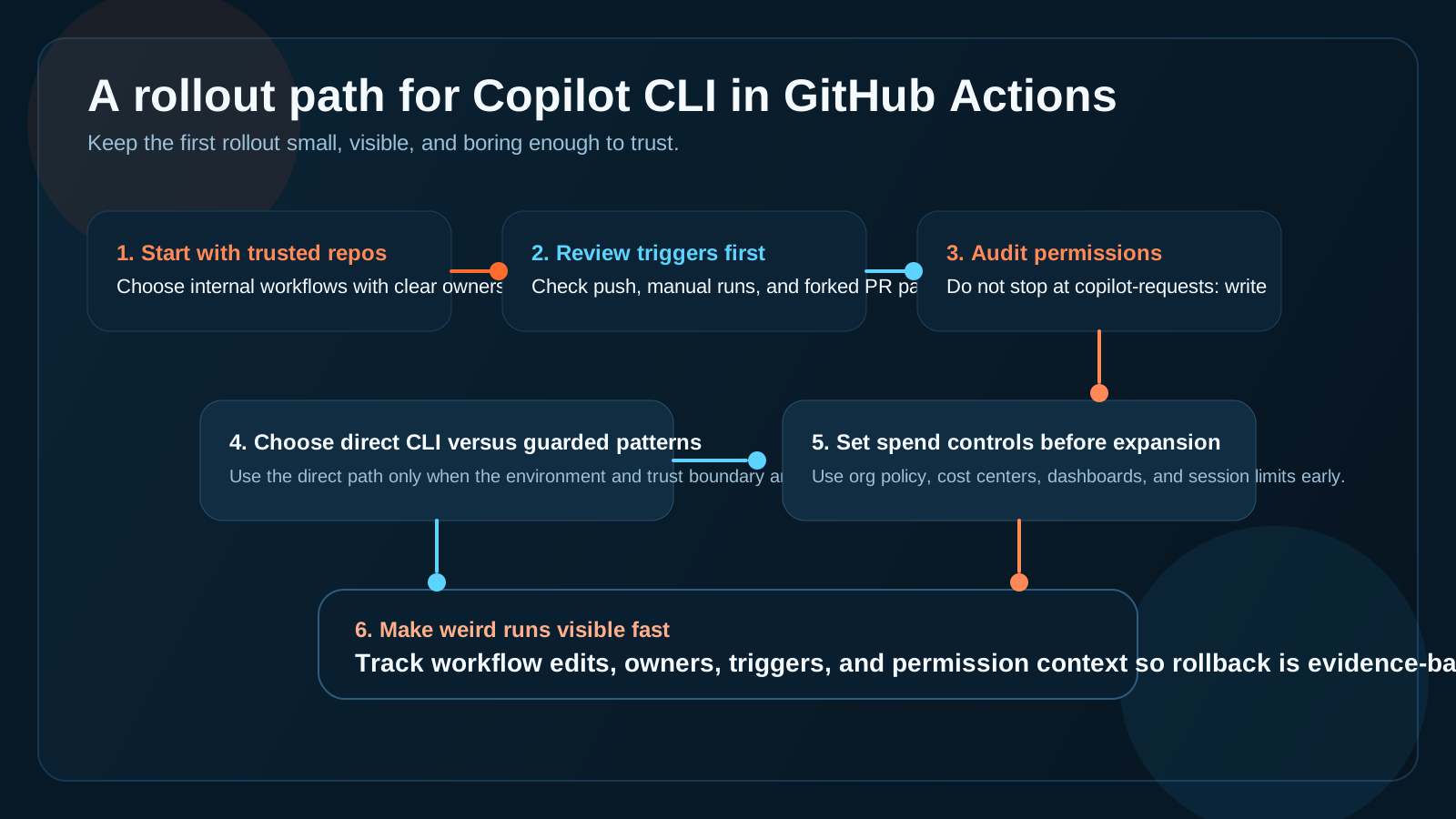
The safest rollout path is boring on purpose: trusted repos, explicit triggers, narrow permissions, and visible ownership.
Where OpsRabbit fits
This kind of rollout usually does not fail because nobody read the docs.
It fails because the docs are not the same thing as operational context.
When a team asks, "Why did this workflow suddenly start behaving differently?" they usually need answers across several surfaces:
- recent workflow edits
- owners and reviewers
- repository and branch context
- event trigger history
- adjacent automation or deployment changes
OpsRabbit helps shorten the gap between the first symptom and the first credible explanation.
That is useful whether the issue turns into a policy cleanup, a workflow rollback, or a broader review of where AI-assisted automation belongs.
CTA
If your team is about to roll out AI-assisted workflow steps, book a walkthrough to see how OpsRabbit helps reduce time-to-context across workflow changes, AI automation rollouts, and production investigations.
FAQs
Is running Copilot CLI in GitHub Actions safer now that PATs are gone?
It is safer from a credential-management perspective, but teams still need to review triggers, workflow permissions, and direct workflow-environment access carefully.
What should teams review before enabling Copilot CLI in workflows?
Start with trusted repositories, review event triggers, audit the full permission envelope, decide between direct CLI use and more guarded workflow patterns, and set spend controls early.
Sources
- Copilot CLI no longer needs a personal access token in GitHub Actions - GitHub Blog, July 2, 2026.
- Using Copilot CLI in GitHub Actions with GITHUB_TOKEN - GitHub Docs, accessed July 7, 2026.
- Use GITHUB_TOKEN for authentication in workflows - GitHub Docs, accessed July 7, 2026.
- What's coming to our GitHub Actions 2026 security roadmap - GitHub Blog, published March 26, 2026 and updated March 30, 2026.
Last Updated
2026-07-07
Ready to Transform Your Operations?
Ask for a demo today. Experience how OpsRabbit can reduce your MTTR by up to 90%.