Quick answer: ChatGPT Work is not just a new assistant mode. Once it can use plugins, connected apps, scheduled tasks, browser actions, and desktop capabilities, enterprise admins need to treat rollout like a real change window with owners, validation, and audit coverage.
TL;DR
- OpenAI launched ChatGPT Work on July 9, 2026 as a longer-running agent surface that can work across apps, browser sessions, and desktop workflows.
- That expands the control problem from "who can use ChatGPT?" to "what can it access, what can it do, when does it ask, and how do we audit it?"
- The real operational risk is drift between workspace roles, app access, action controls, approval defaults, connected-system permissions, and local runtime policy.
- OpsRabbit's angle is simple: when rollout gets noisy, the bottleneck is usually context, not awareness.
What changed on July 9
OpenAI's launch post makes the scope change pretty clear.
ChatGPT Work can gather information across apps and workflows, create finished materials like sheets, slides, docs, and web apps, and stay on a project for hours by breaking the work into smaller steps. OpenAI also says it can use plugins connected to systems like Slack, Microsoft Teams, Google Drive, SharePoint, email, calendars, CRMs, project trackers, and internal tools.
That is already bigger than a chat feature.
Then the launch adds three more things that matter to IT:
- Scheduled Tasks that can repeat on a schedule or when an event occurs
- a built-in browser for web-based work
- desktop Computer Use for background work across apps, tools, and the browser
At the same time, OpenAI says Enterprise and Edu admins can control who has access, what company context ChatGPT can use, which tools it can connect to, and what actions it can take.
That combination is why this is a rollout problem, not just a product-update headline.
Why this is a change-management issue instead of a simple feature toggle
The hard part is not whether ChatGPT Work exists.
The hard part is that the rollout now spans multiple control planes that can drift away from each other:
- workspace membership and role access
- plugin installation policy
- underlying app access
- action controls for what an app can do
- approval defaults for when ChatGPT asks
- permissions in the connected system itself
- local runtime policy for desktop and local workflows
- compliance exports and downstream audit handling
OpenAI's own admin docs separate these decisions on purpose.
The plugin and app controls article says plugin installation and underlying app access are separate controls. It also separates RBAC from action controls and app permissions. That means a member can have a plugin available but still be unable to use an app-backed capability, or be able to use an app but only under a narrower action policy than someone expects.
That is classic change-management territory.
If one team assumes "enabled" means "fully usable" and another team assumes provider-side approval is enough, you get the same kind of rollout confusion ops teams already know from identity changes, SaaS integrations, and scoped API launches.
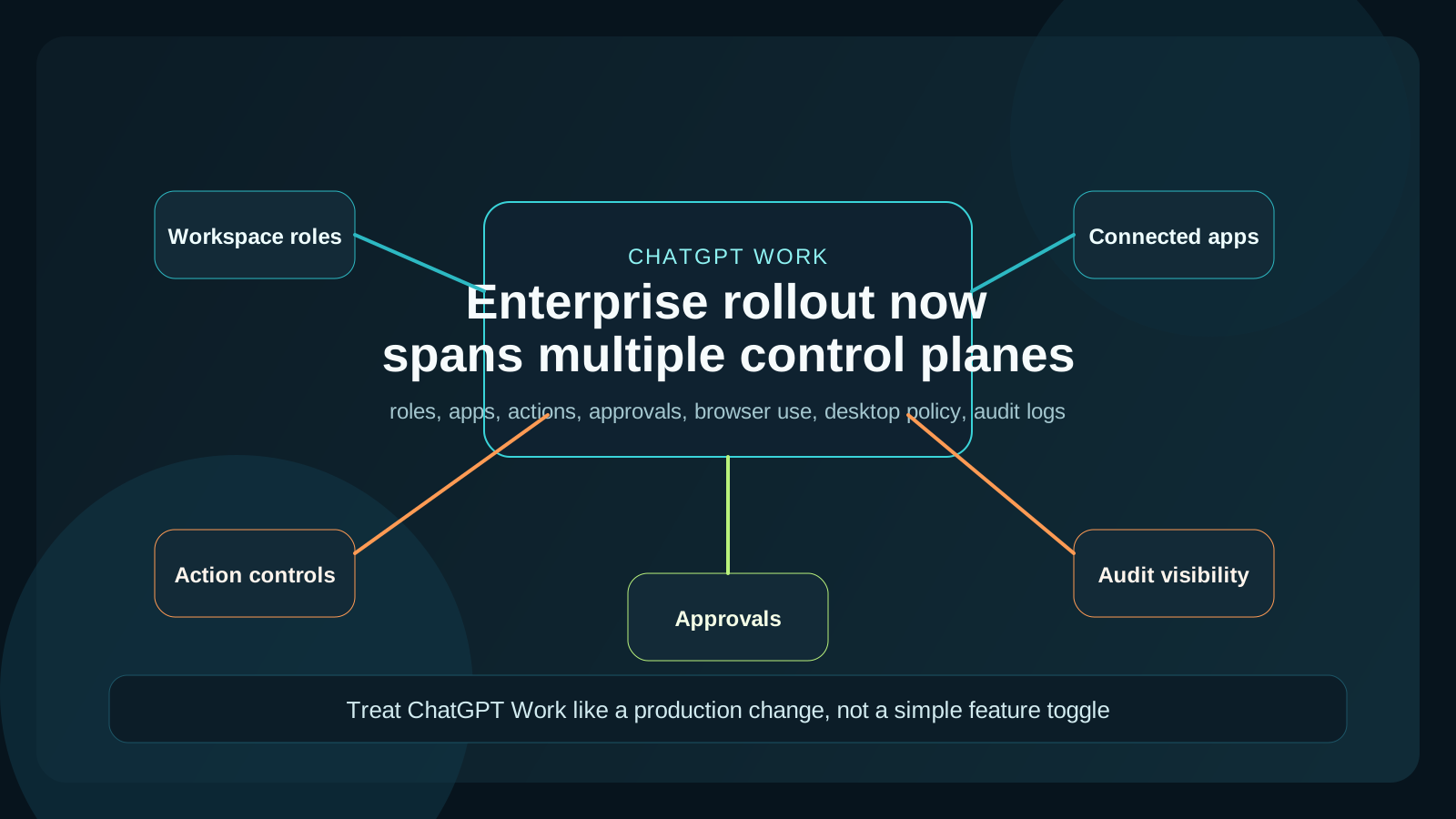
The rollout risk lives in the gaps between access, actions, approvals, and connected-system permissions.
Where rollout drift shows up first
The easiest mistake is treating ChatGPT Work like one setting.
It is not one setting. It is a chain.
OpenAI's app controls doc says admins can decide who gets app access, what actions are allowed, and how newly added actions should be handled. For apps that support Action control, admins can allow all actions, allow only read actions, or allow a custom set. They can also decide whether newly added actions are enabled automatically, limited to new read actions, or disabled by default.
That matters because one product launch can now change your operational surface in more than one place.
The launch post also says ChatGPT Work can use plugins, browser use, local files and apps, and scheduled tasks. The admin rollout guide then tells you to assign owners across workspace access, local runtime policy, connected systems, and reporting/compliance, and to verify each boundary with representative identities.
In plain language, here is where drift usually appears:
- a role can install or access a plugin, but the required app is blocked
- an app is visible, but its actions are limited to read-only or custom actions
- a workspace policy says "Never ask" or "Important actions," but the connected system still blocks the request
- desktop use is available for one group, but local runtime policy is tighter than expected
- audit data exists, but nobody has connected it to the SIEM or the people who need it
None of those are security theater problems. They are normal rollout problems, just now attached to an AI action surface.
The practical checklist enterprise IT should run
If I were rolling this out, I would keep the checklist short and operational.
1. Name an owner for each control boundary
OpenAI's rollout guide is right about this. Someone should own:
- workspace roles and eligibility
- plugin and app availability
- connected-system authorization
- local runtime policy for desktop and local workflows
- compliance and audit exports
If one person owns only the ChatGPT admin page, you still do not own the rollout.
2. Map the action surface before broad rollout
Inventory what ChatGPT Work can actually touch in your environment:
- which plugins are enabled
- which underlying apps are enabled
- which roles can use them
- which actions are allowed
- which new actions auto-enable later
This matters more than a launch announcement because it tells you what changed in your workspace, not just in the product.
3. Validate provider-side permissions separately
OpenAI is explicit that app access inside ChatGPT and permissions inside the connected system are not the same thing.
That means you need to confirm the provider-side scopes, approvals, or service permissions for any app your users will rely on. Workspace access does not magically grant SharePoint, Slack, Google Drive, or CRM access.
4. Set approval defaults intentionally
The app controls article says workspaces can set permission defaults like Always ask, Any changes, Important actions, or Never ask, depending on the workspace and app.
That should not be left to assumption.
For many orgs, the safest starting point is to use tighter prompts for higher-risk app actions and loosen them only after the workflow is tested with real users.
5. Wire audit visibility before the support queue fills up
The Compliance Platform guide says enterprise customers can export logs and metadata into SIEM, DLP, or eDiscovery workflows.
That does not just matter for legal review. It matters for operations too.
When users report that something behaved differently, you want a fast answer to questions like:
- who used which app
- what changed in the rollout
- whether the issue is role-based, app-based, or action-based
- which teams are affected
That is how you keep a rollout problem from turning into a vague incident room.
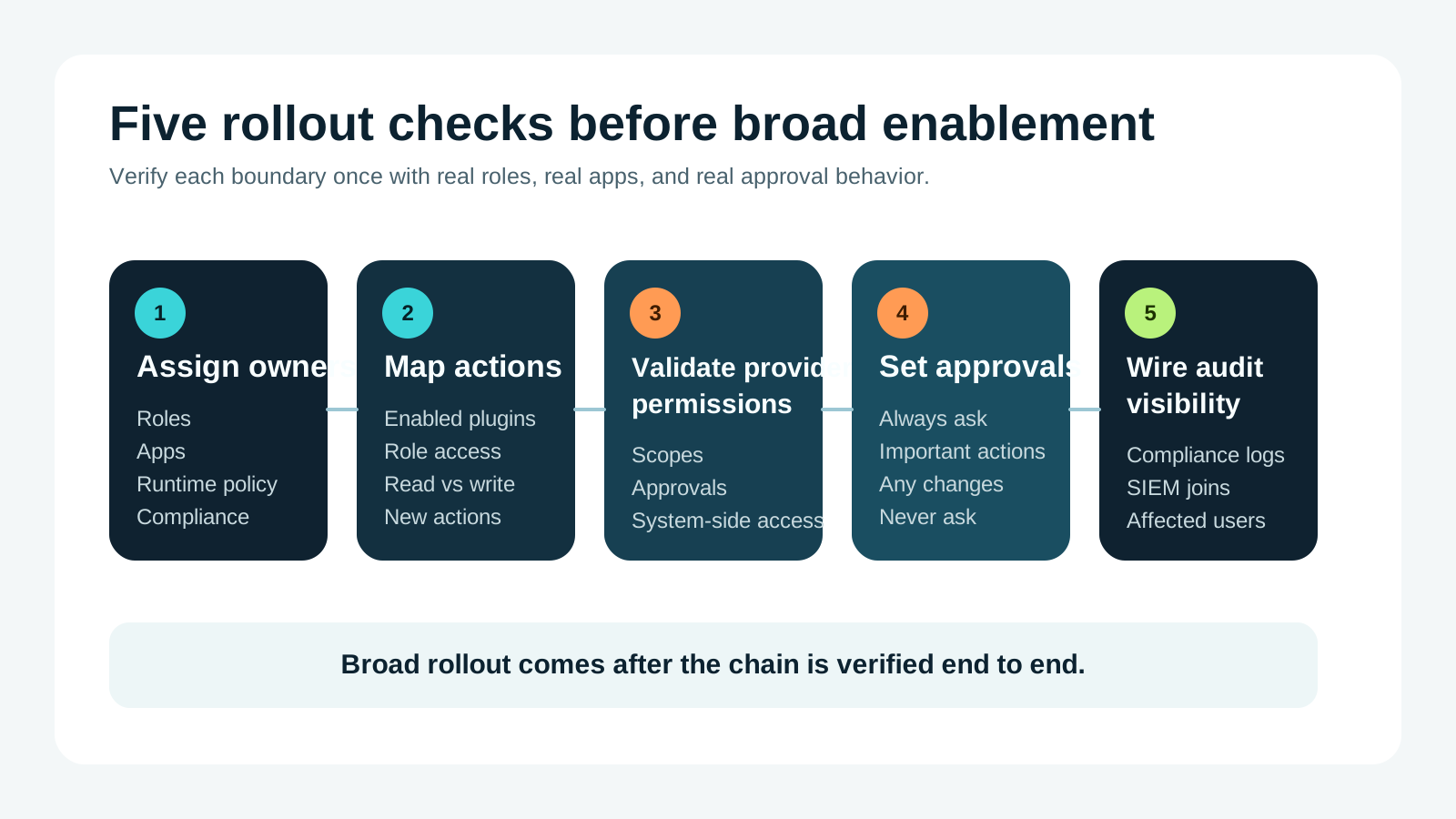
A clean rollout comes from verifying each boundary before broad enablement, not from assuming one admin page controls the whole system.
Why this matters beyond ChatGPT Work
The bigger pattern is worth noticing.
On the same day OpenAI launched ChatGPT Work, it also announced GPT-5.6 as the preferred model in Microsoft 365 Copilot. That is another signal that model and agent changes are landing directly inside everyday productivity systems, not staying in isolated AI sandboxes.
Once that happens, the governance problem stops being "should we allow AI?" and becomes much more operational:
- what changed
- where can it act
- which identities and approvals shape that action
- how do we troubleshoot it when behavior changes across teams
That is why I think change-management discipline matters more than hot takes here.
Where OpsRabbit fits
OpsRabbit is useful in the part that usually hurts most: the period after someone says "this feels off" and before the team has a clean story.
Maybe users in one role can use an app and another role cannot. Maybe a scheduled task works in staging but not for a live team. Maybe an approval path changed, an action was newly enabled, or a provider-side permission never matched the ChatGPT-side configuration.
That is when responders need one fast narrative:
- what changed
- who is affected
- which connected systems are involved
- what the likely failure boundary is
- what the safest next action should be
That time-to-context gap is where a lot of avoidable operational noise lives.
Final thought
I do not think ChatGPT Work should scare enterprise IT.
But I do think it deserves the same operational discipline you would apply to any tool that can touch files, apps, browser workflows, schedules, and downstream actions.
The teams that handle this well will probably look boring from the outside. Their rollout will feel predictable, their approvals will make sense, and their support teams will know where to look first.
That is exactly the outcome good change management is supposed to produce.
FAQs
Why is ChatGPT Work a change-management issue?
Because the rollout spans plugins, app access, actions, approvals, browser use, desktop reach, and connected-system permissions, which can drift unless someone owns the full control path.
What should enterprise IT review first?
Start with role access, connected apps, action policies, approval defaults, connected-system scopes, and audit logging before broad rollout.
Sources
- ChatGPT is now a partner for your most ambitious work - OpenAI, July 9, 2026.
- Admin controls, security, and compliance for plugins and apps - OpenAI Help Center, accessed July 10, 2026.
- OpenAI Compliance Platform for Enterprise and Edu Customers - OpenAI Help Center, accessed July 10, 2026.
- Governance - ChatGPT Learn, accessed July 10, 2026.
- Admin rollout guide - ChatGPT Learn, accessed July 10, 2026.
- GPT-5.6 is now the preferred model in Microsoft 365 Copilot - OpenAI, July 9, 2026.
Last Updated
2026-07-10
Ready to Transform Your Operations?
Ask for a demo today. Experience how OpsRabbit can reduce your MTTR by up to 90%.