Quick answer: OpenAI's June 15, 2026 Google app-action rollout is not just an admin setting change. It is a real change-management event because ChatGPT action settings and Google Workspace scope approvals have to stay aligned if you want predictable behavior on rollout day.
TL;DR
- Starting June 15, 2026, ChatGPT is adding new Google app actions for Google Drive files, BigQuery, and Google Meet actions surfaced under Google Calendar.
- Those actions require additional Google OAuth scopes in Google Workspace, so this is not just a UI toggle in ChatGPT.
- If enabled actions and approved scopes drift apart, users can hit authorization errors, reconnect problems, or unexpected differences in what the app can do.
- OpsRabbit's angle is simple: treat AI-connected app actions like production changes, with review, staging, validation, and incident coverage.
What changed on June 15
OpenAI published a very specific warning ahead of this rollout.
Starting June 15, 2026, ChatGPT is adding new Google app actions for Google Drive files, BigQuery, and Google Meet actions surfaced under Google Calendar. OpenAI also says these actions require additional Google OAuth scopes in Google Workspace.
That detail matters because it turns one product update into two linked admin surfaces:
- ChatGPT workspace app settings, where actions can be enabled or disabled
- Google Workspace API controls, where the ChatGPT/OpenAI app may need trusted access or explicit scope approval
OpenAI also says that if your workspace is configured to enable new app actions by default, those new Google actions may become available unless an admin disables them.
That is already enough to justify a rollout checklist.
Why this is an ops change, not just an admin task
This is where teams usually get tripped up.
The risk is not only "did we install the app?"
The real questions are operational:
- Which Google actions are enabled in ChatGPT right now?
- Which Google OAuth scopes have been approved for the ChatGPT/OpenAI app in Workspace?
- Do those two lists still match?
- Which users or roles will try the new actions first?
- Who owns rollout validation and support if users start seeing auth failures?
That is change management.
It is the same pattern ops teams already know from SSO changes, scoped API integrations, CI credential updates, or SaaS feature rollouts that affect production-adjacent workflows.
The novelty is just that the app now sits inside an AI workflow, which makes the blast radius easier to underestimate.
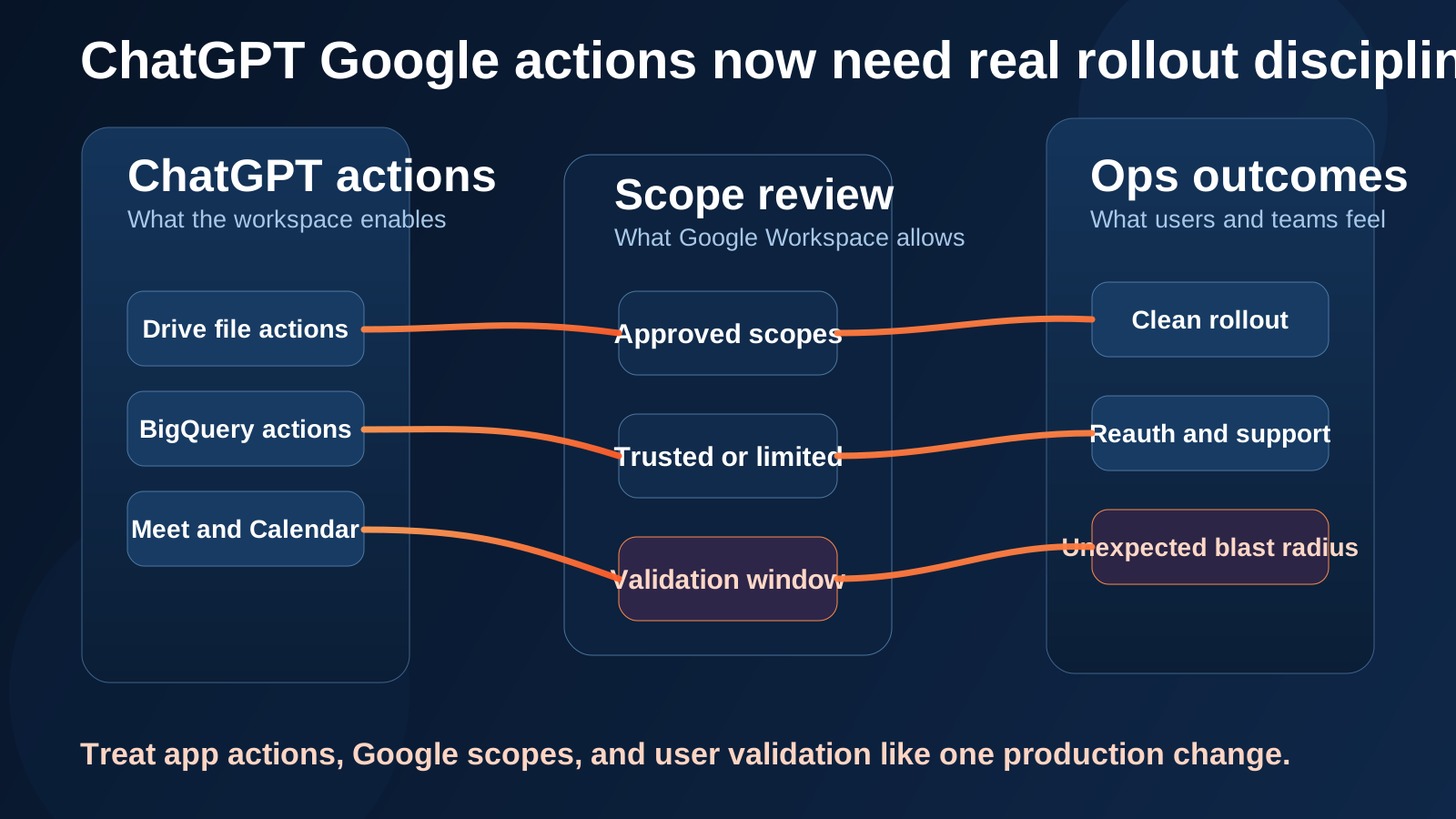
The operational risk is the gap between enabled actions, approved scopes, and what users can actually do on rollout day.
Where the rollout can go sideways
OpenAI's own docs make the failure mode pretty clear.
If a Google app action is enabled in ChatGPT but the required Google OAuth scope is not approved, users may see authorization, admin approval, or permission errors when they connect, reconnect, or try to use that action. OpenAI also notes that some OAuth flows can fail before ChatGPT receives a useful signal about which scope was blocked.
That means support noise can show up before your team has a clean diagnosis.
At the same time, Google Workspace access control has its own logic:
- a Trusted app can access all Google Workspace services, including restricted services
- a Limited app can access only unrestricted Google services
- a Blocked app cannot access Google services
Google also says that when a service is set to Restricted, previously installed apps that have not been trusted stop working and tokens are revoked.
Put those together and you get an operational picture that looks like this:
- ChatGPT adds or exposes a new action.
- The action needs a scope that Workspace has not approved, or has approved differently than expected.
- Users hit errors, reconnect prompts, or inconsistent behavior.
- The help desk gets a symptom before the owner gets a clean story.
That is exactly the sort of avoidable confusion good change management is supposed to reduce.
The plan differences matter
The rollout is also not identical across plans.
OpenAI's admin-controls article says unified Google Drive actions are off by default for ChatGPT Enterprise and Edu until a workspace admin enables them. The same article says they are on by default for ChatGPT Business.
So even before you get to BigQuery or Google Meet-related actions, you already have a practical reason not to assume the rollout behaves the same way everywhere.
The safest framing is:
- verify what your ChatGPT plan and workspace settings currently allow
- compare that against the exact actions you want users to have
- then verify the corresponding Google scopes are trusted or explicitly approved
A five-step rollout checklist for IT ops
If this were my rollout, I would treat it like a production change with a short control loop.
1. Inventory enabled Google actions in ChatGPT
Do not rely on what was true last month. Capture the currently enabled Google apps and actions in the workspace, including anything that may be enabled by default.
2. Compare those actions to approved Google Workspace scopes
Check the ChatGPT/OpenAI app in Google Workspace API controls and verify whether the needed scopes are trusted, limited, or blocked, and whether restricted services change the picture.
3. Pick a staged validation group
Test with a small set of users before broad rollout. You want to validate both successful behavior and the exact failure mode when a scope is missing.
4. Prepare support coverage for reconnect and auth failures
OpenAI explicitly says existing connections are not removed when new scopes are introduced, but users may still need to reconnect or may see permission errors when using a newly enabled action.
That means your support path should already know what to check:
- enabled action list in ChatGPT
- approved scopes in Workspace
- whether the app is trusted, limited, or blocked
- whether the user is reconnecting or using a new action for the first time
5. Treat action changes like production changes going forward
Do not let AI app actions live in a separate mental bucket from identity and integration changes. New actions, refreshed permissions, or expanded scopes all deserve owner review and a rollback plan.
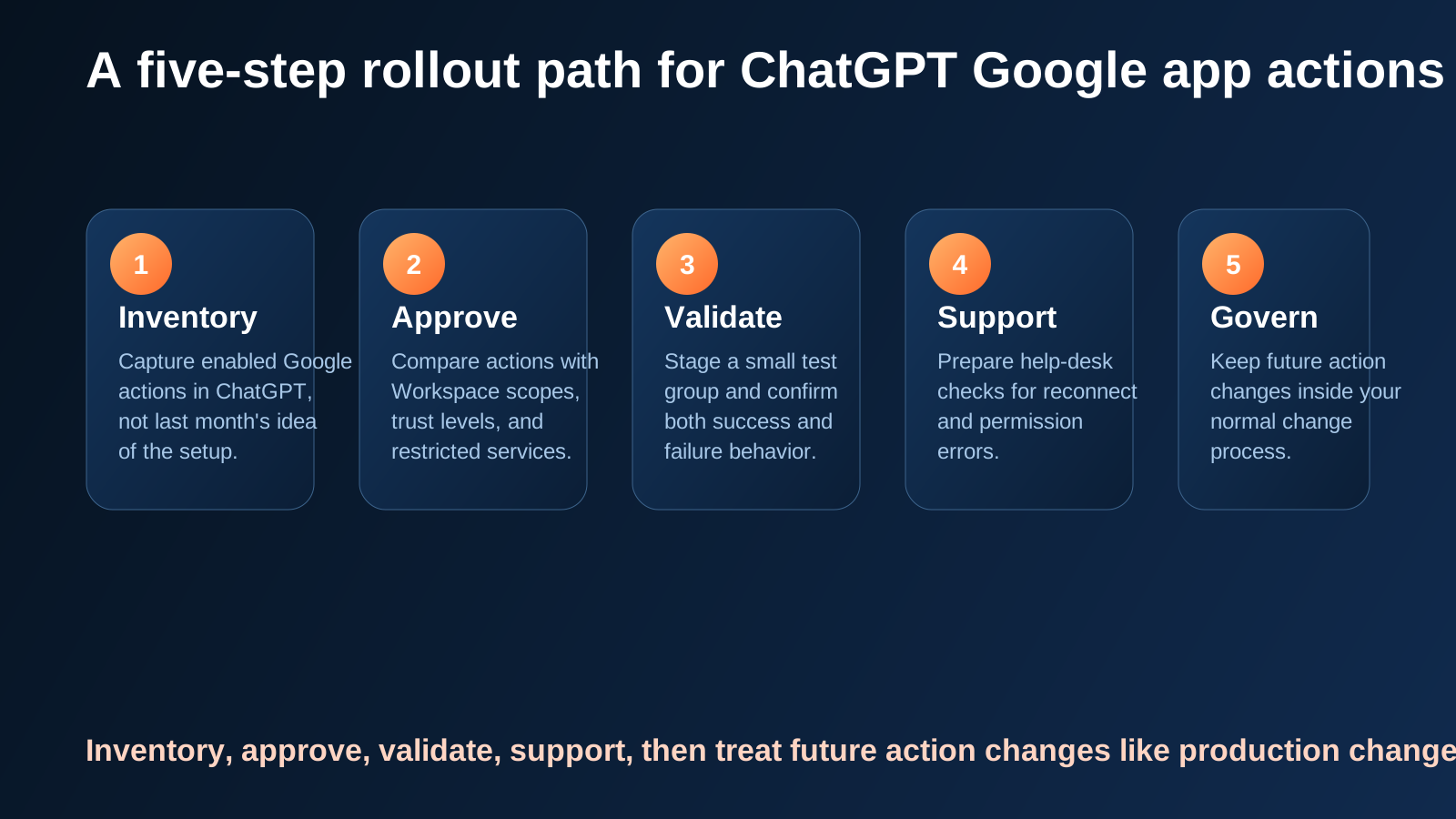
A clean rollout mostly comes down to keeping app settings, approved scopes, and user validation in sync.
Why this matters beyond June 15
The broader lesson is bigger than one Google rollout.
Microsoft's June 2 enterprise AI framing is useful here: the hard part is not just the model. It is the system around the model, including identity, context, policy, and oversight in production.
That is exactly what this rollout exposes.
Once an AI app can take actions, the control problem moves from "is the app installed?" to "what can it do right now, under which identity and scope, and what happens when that changes?"
That is an operations question.
Where OpsRabbit fits
OpsRabbit is useful in the moment after something feels off.
Maybe users suddenly cannot use a new Google action. Maybe one team sees behavior another team does not. Maybe a workspace setting changed, a scope was not approved, or a support queue is filling up with vague auth failures.
The hard part is rarely the first symptom. The hard part is assembling context fast enough to decide what changed and what the safest next action is.
That is where OpsRabbit fits:
- correlate the rollout change with the affected users or teams
- connect app settings, ownership, and adjacent system context
- shorten the gap between "something broke" and "we know what to review first"
Final thought
I do not think teams should treat June 15 as a scary event.
But I do think they should treat it as a real change window.
OpenAI already gave admins the most important clue: new actions and new scopes are arriving together. Once that happens, the job is no longer just enabling a connector. The job is making sure the action layer, the scope layer, and the support layer stay aligned.
That is standard ops discipline.
The teams that handle this well will probably not look dramatic from the outside. Their users will just not feel the rollout.
FAQs
Why is this more than a connector update?
Because the operational risk lives in the gap between enabled actions, approved Google scopes, and what users can actually do or fail to do on rollout day.
What should admins review before June 15?
Inventory enabled Google actions in ChatGPT, compare them against approved Google Workspace scopes, stage validation with test users, and prepare support coverage for auth or permission issues.
Sources
- Google App for ChatGPT – Data Controls FAQ - OpenAI Help Center, updated June 2026.
- Admin Controls, Security, and Compliance in apps (Enterprise, Edu, and Business) - OpenAI Help Center, updated June 2026.
- Control which third-party & internal apps access Google Workspace data - Google Workspace Admin Help, accessed June 7, 2026.
- Control which apps access Google Workspace data - Google Workspace Admin Help, accessed June 7, 2026.
- AI alone won’t change your business. The system running it will. - Microsoft Blog, June 2, 2026.
Last Updated
2026-06-07
Ready to Transform Your Operations?
Ask for a demo today. Experience how OpsRabbit can reduce your MTTR by up to 90%.